Spreadsheet
How EastMallBuy works, and where the Spreadsheet fits
An agent buys domestically on your behalf, holds the parcel, and ships it out. Here is that run of steps, with the three tools that sit behind a sign-up marked as such.
First principles
What a shopping agent is
A shopping agent is a company that acts on your behalf. Chinese marketplaces mostly do not ship abroad, and mostly do not take foreign cards. An agent closes both gaps: it buys the item with a domestic account, receives it at a domestic warehouse, and then sells you the international leg.
Two consequences follow, and they explain most of what confuses newcomers. You pay in two stages rather than one. And for anything about the goods themselves, the seller is still the counterparty; the agent is relaying.
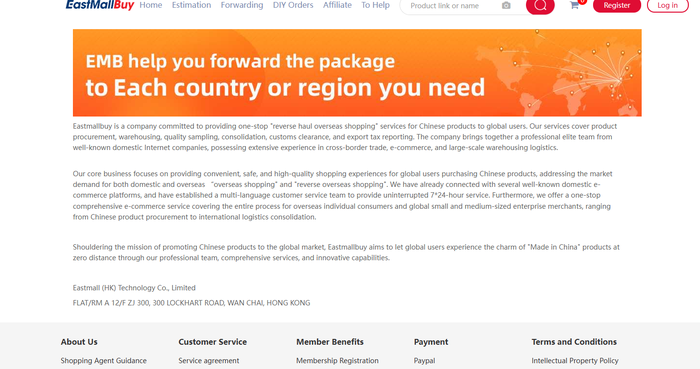
EastMallBuy states it covers procurement, warehousing, quality sampling, consolidation, customs clearance and export tax reporting. The platforms named in its page titles are Taobao, Tmall, Jingdong, 1688.
The run of steps
From a listing to a parcel
- Find the item. Either in the catalogue by category, or by search. Both end at a listing.
- Hand it over. Ordinary items go through the normal order flow. Anything the system cannot read goes through DIY Orders, where you fill the details in by hand. That one needs an account.
- Pay for the goods. Domestic purchase and domestic shipping.
- It arrives at the warehouse. This is where checks happen and where the storage clock starts.
- Choose the shipment. Which items travel together, which route, what is declared. The estimator will price this before you commit.
- Pay the international leg, and it goes. After this the parcel is with a carrier, and the compensation standard becomes the carrier's.
Already bought something yourself and only need the last half? That is forwarding, and it also needs an account.

The tools
What each tool does, and which ones let you in
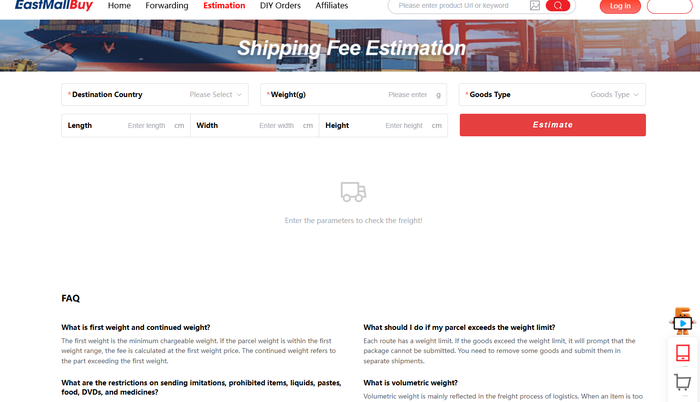
Estimation Open
Give it a destination, a weight in grams and the three dimensions and it returns a freight figure. The only one of the four that answered without an account.
DIY Orders Account needed
A hand-filled order form for anything the system cannot parse on its own. Reached from the navigation, but it asks you to register before the form appears.
Forwarding Account needed
For goods you bought yourself that need consolidating and shipping. Also behind the sign-up.
The estimator being open matters more than it sounds. It means you can price the expensive half of the trip before deciding whether to register at all.
On this site
What you can do here without signing in to anything
Three things, all of them free of a login. How to use the search is the shortest of the three: type what the thing is, not what it is called.
- Browse the catalogue by category. Sixteen entries, each with the pitfall that category is known for.
- Search the catalogue. The box at the top of every page.
- Run the point-of-no-return check. Pick where you are in the process and it tells you what is still undoable and which clause decides it.